The Future of Video Editing: A Full Review of Descript’s AI Features
If you've ever spent hours painstakingly trimming footage, sync'ing audio, or trying to fix a tiny vocal slip-up in post-production, you know the traditional video editing workflow can be a real grind. The industry is rapidly evolving, though, and artificial intelligence is leading the charge.

If you've ever spent hours painstakingly trimming footage, sync'ing audio, or trying to fix a tiny vocal slip-up in post-production, you know the traditional video editing workflow can be a real grind. The industry is rapidly evolving, though, and artificial intelligence is leading the charge. Descript is one platform that's not just embracing AI but rebuilding the entire editing experience around it.
It's been making waves for its text-based editing approach, but we wanted to dive deeper and see if its AI features truly live up to the hype. Is this the future of video editing, or just another clever tool? Let's break down Descript’s key AI capabilities and see how they stack up.
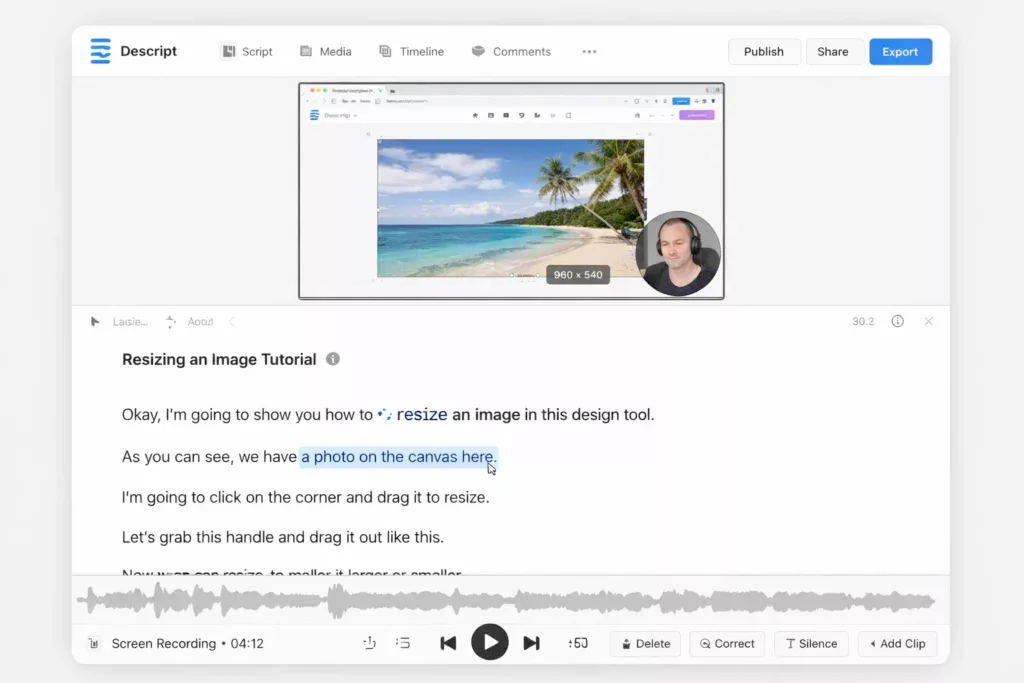
Editing Video Like a Word Doc: The Core Magic ✨
The fundamental premise of Descript is deceptively simple and incredibly powerful: edit your video by editing the generated transcript. When you import footage, Descript automatically and highly accurately transcribes it. From there, cutting, rearranging, or deleting sections of video is as easy as highlighting and deleting text in a word processor.
For creators accustomed to complex timeline editing, this is a massive paradigm shift. It dramatically speeds up the rough cut process, making it intuitive to structure narratives and remove unwanted filler. It's not just about speed; it lowers the barrier to entry for video editing significantly.
Goodbye, "Um"s and "Ah"s: Remove Filler Words Automatically 👋
We all do it. Filler words are a natural part of speech, but they clutter up videos. Descript's AI can automatically identify common filler words ("um," "uh," "like," "you know," etc.) throughout your transcript. With a single click, you can delete them all, instantly making your speaker sound more polished and concise without hours of manual cutting. It's a simple feature that provides immediate, tangible value.
Fixing Audio Faux Pas in Post: Overdub and Studio Sound
Descript doesn't just stop at text-based editing. Its AI extends to audio repair and even generation.
Overdub: Generative AI for Voiceovers 🎙️
This is perhaps one of Descript's most eyebrow-raising features. Overdub allows you to create a digital clone of your voice (or use stock voices). If you make a mistake in your recording or need to add a sentence later, you can simply type the text, and Overdub generates a realistic voiceover that blends seamlessly with your original audio.
While the ethical considerations of voice cloning are valid and require responsible use, the sheer utility for correcting scripts post-recording is undeniable. It saves you from having to set up the mic again for a tiny fix.
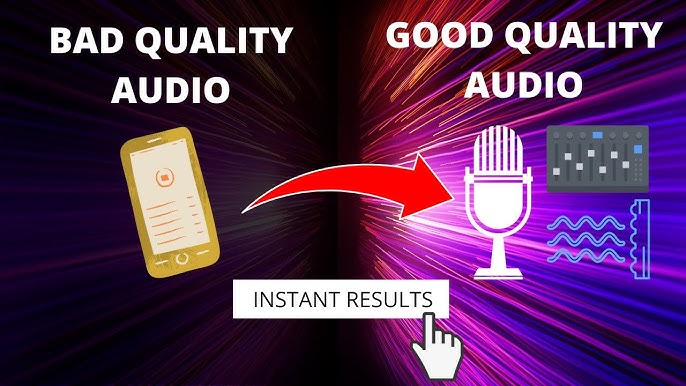
Studio Sound: Instant Audio Polish
Ever recorded in a less-than-ideal environment? Background noise, echo, and poor mic quality can ruin a video. Descript's Studio Sound uses AI to analyze and enhance your audio, effectively "removing" background noise and making it sound like it was recorded in a professional studio. It's not magic – it won't fix truly terrible audio – but for common recording issues, it's remarkably effective.
AI-Powered Visual Tweaks: Eye Contact and Green Screen
Descript’s AI capabilities aren't limited to audio and text; they also extend to visual enhancements.
Eye Contact: Keeping the Audience Engaged 👀
If you're reading from a teleprompter or notes off-camera, your eyes naturally wander. Descript's Eye Contact feature uses AI to subtly adjust the speaker's eyes to maintain direct eye contact with the camera. It’s a subtle effect but can significantly boost audience engagement and make speakers appear more confident and prepared.
AI Green Screen: Background Removal Without the Hassle 🟢
Traditionally, green screen work requires careful lighting and, well, an actual green screen. Descript's AI Green Screen can automatically detect and remove the background from your video, allowing you to place yourself in any virtual environment without the need for physical backdrops. While not always perfect with complex backgrounds, it's surprisingly effective for standard setups.
Conclusion: A Glimpse into Tomorrow's Editing 💡
After thoroughly reviewing Descript’s AI features, it’s clear that this is more than just a passing trend. Descript represents a genuine evolution in video editing software. By leveraging AI for transcription, editing, audio repair, and visual enhancements, it streamlines workflows, boosts quality, and makes video creation more accessible than ever.
Is it perfect? Not quite. Some AI features work better than others depending on the source material, and ethical considerations around voice cloning remain important. However, the foundational technology is sound, and the potential is immense. Descript isn't just a tool for today; it's a window into the future of intuitive, intelligence-driven video production.
If you're tired of traditional editing friction and want to experience firsthand how AI is reshaping the industry, Descript is absolutely worth exploring. It might just change the way you edit video forever.